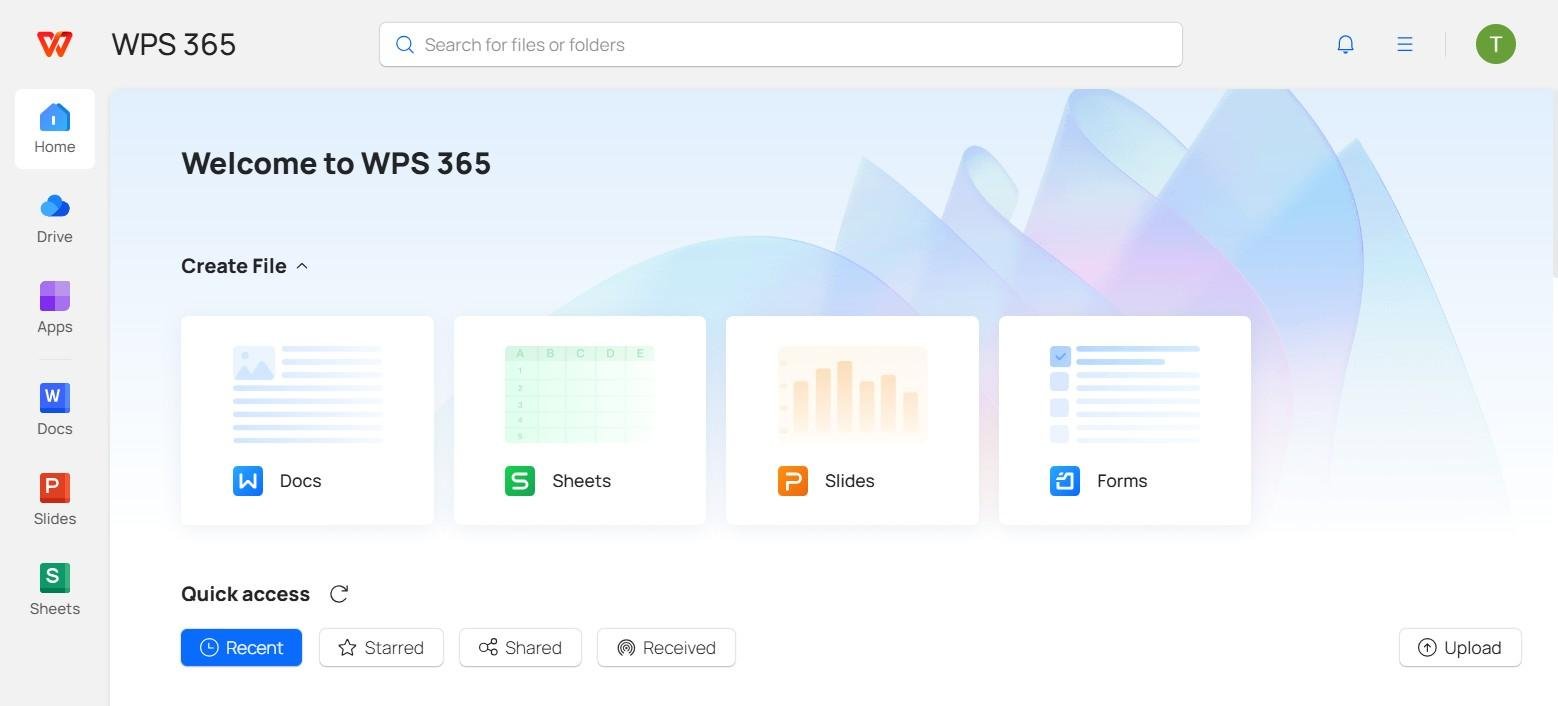
In today’s fast-paced work environment, time is one of the most valuable resources. Office professionals constantly seek ways to streamline tasks, reduce repetitive work, and enhance productivity. One tool that has become indispensable for achieving these goals is WPS. Known for its comprehensive suite of office applications, WPS offers solutions that simplify processes, improve efficiency, and ultimately reduce the time spent on office tasks. This article explores how WPS achieves this and why it is becoming a preferred choice for businesses and individuals alike.
Seamless Document Creation and Editing
Creating and editing documents can consume a significant portion of the workday. WPS provides a user-friendly interface that allows users to create professional documents quickly. With pre-designed templates for reports, presentations, spreadsheets, and letters, users no longer need to start from scratch. These templates are fully customizable, helping save hours of formatting time.
The WPS Writer, in particular, offers advanced editing tools such as real-time spell check, grammar suggestions, and style recommendations. These features reduce the back-and-forth process of proofreading and editing, enabling employees to complete tasks faster. Additionally, WPS supports multiple file formats, including Microsoft Office formats, which allows users to open, edit, and share documents without compatibility issues, further saving time.
Efficient Spreadsheet Management
Handling spreadsheets is often time-consuming, especially when dealing with large datasets. WPS Spreadsheets simplifies this process with intuitive features like automatic formulas, data visualization tools, and pivot tables. These functions allow users to analyze data quickly, identify trends, and make informed decisions without spending hours manually calculating figures.
Moreover, WPS enables users to create templates for recurring spreadsheet tasks. Once a template is set, it can be reused for monthly reports, budgets, or project tracking. This reduces repetitive work significantly, ensuring consistency while saving valuable time.
Streamlined Presentations
Creating presentations often involves collecting information from multiple sources, designing slides, and ensuring a consistent format. WPS Presentation offers a wide variety of design templates and animations that make slide creation faster and more visually appealing. Features like one-click formatting and master slides ensure that all slides follow a unified style, eliminating the need to format each slide individually.
Collaboration features in WPS Presentation also save time. Multiple users can work on the same presentation simultaneously, track changes, and provide feedback in real-time. This eliminates the delays associated with sending files back and forth and allows teams to complete projects more efficiently.
Cloud Integration for Easy Access
Time is often wasted searching for files or dealing with multiple versions of the same document. WPS addresses this issue with its robust cloud integration. Users can store documents in the WPS Cloud, enabling access from any device at any time. This ensures that employees can work remotely, access the latest version of a document, and avoid duplication or confusion.
Cloud collaboration also reduces meeting times. Team members can review documents, leave comments, and make edits in real-time. Instead of scheduling multiple meetings to discuss minor changes, employees can communicate efficiently through shared files, freeing up hours in their workweek.
Advanced PDF Tools
PDFs are a staple in office environments, but working with them can often be cumbersome. WPS provides a comprehensive PDF solution that allows users to convert, edit, merge, split, and annotate PDF files easily. These tools eliminate the need for third-party software and reduce the time spent managing documents in different formats. For instance, converting a Word document to PDF or vice versa can be done in seconds, rather than manually reformatting content.
Automation Features
One of the most significant ways WPS reduces time spent on office tasks is through automation. Users can create macros in WPS Spreadsheets to automate repetitive calculations or data entry tasks. Similarly, WPS Writer allows users to set up text shortcuts for frequently used phrases or templates, reducing the time spent typing repetitive content.
Automation not only speeds up work but also minimizes errors. Tasks that would otherwise require manual input are handled consistently and accurately, ensuring higher productivity without compromising quality.
Collaboration and Communication Tools
In many offices, a substantial amount of time is lost due to inefficient communication. WPS addresses this with tools designed for seamless collaboration. Users can comment directly on documents, track revisions, and share files with colleagues instantly. These features reduce the reliance on lengthy email threads and make project management more efficient.
Additionally, WPS integrates with popular messaging and project management platforms, allowing teams to collaborate without switching between multiple applications. This consolidation of tools streamlines workflows and reduces the cognitive load on employees, making office tasks faster and less stressful.
Cross-Platform Accessibility
WPS is available on multiple platforms, including Windows, macOS, Linux, Android, and iOS. This cross-platform availability ensures that employees can work on the go, without being tied to a specific device. Whether reviewing documents on a tablet during a commute or editing spreadsheets on a desktop in the office, WPS maintains a consistent experience across all devices. This flexibility saves time and increases responsiveness, as employees can complete tasks whenever and wherever necessary.
Simplified File Management
Keeping files organized is critical to reducing time wasted searching for information. WPS offers an intuitive file management system that allows users to categorize, tag, and search documents quickly. Advanced search features can locate files by content, keywords, or modification date, saving employees from manually sifting through folders.
Furthermore, WPS supports batch processing for tasks such as renaming, converting, or compressing files. These capabilities drastically cut down the time spent on administrative document management, allowing employees to focus on higher-priority tasks.
Continuous Updates and Improvements
WPS continually updates its software to include new features and improve existing ones. These updates are designed to enhance productivity, reduce errors, and provide faster workflows. Users benefit from innovations such as AI-powered writing suggestions, improved spreadsheet functions, and enhanced PDF editing tools, all of which contribute to saving time in everyday office tasks.
Conclusion
WPS has emerged as a powerful tool for reducing the time spent on office tasks. Through its seamless document creation, efficient spreadsheet management, streamlined presentations, cloud integration, advanced PDF tools, automation features, and robust collaboration capabilities, WPS ensures that office work becomes faster, more efficient, and less stressful. Its cross-platform accessibility and continuous updates further enhance productivity, making it an invaluable solution for professionals looking to optimize their workflow. By adopting WPS, organizations and individuals can focus on strategic work rather than getting bogged down by repetitive, time-consuming tasks, ultimately improving efficiency and overall performance.
WPS is not just software—it is a productivity partner that transforms how office tasks are managed, saving valuable time and enabling users to achieve more with less effort.